How to Find IMC Materials
There are several ways to search for IMC materials from Library Search.
Searching From the "Search anything" Box
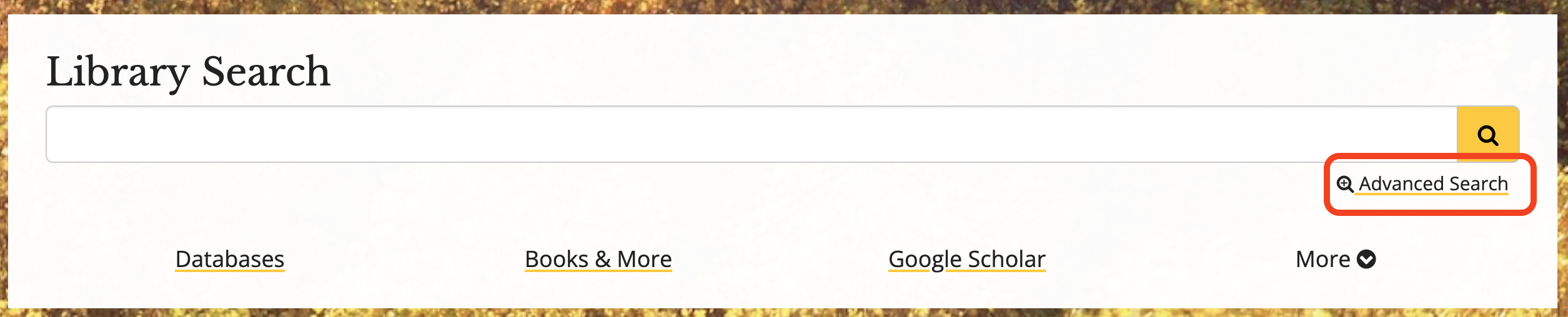
- Go to the library’s homepage.
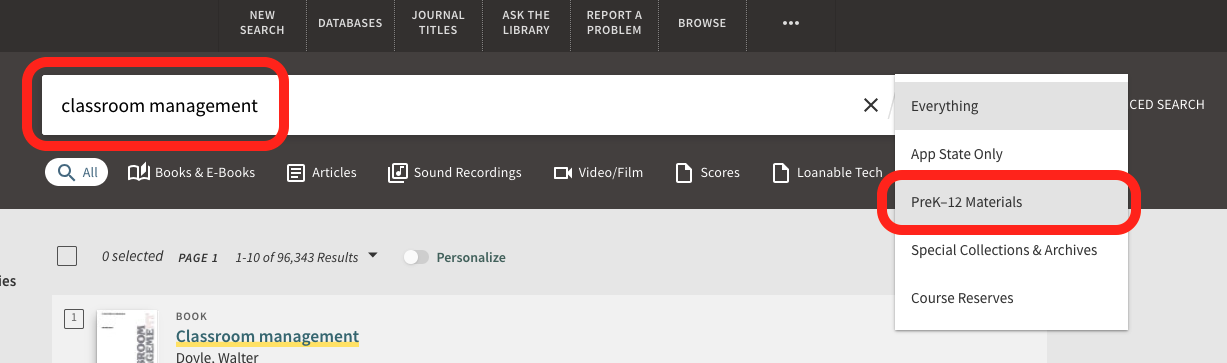
- Enter your search terms into the search box.
- Click search.
- Use the drop down menu in the search bar that says ‘everything’ to select PreK-12 Materials.
- Click search again.
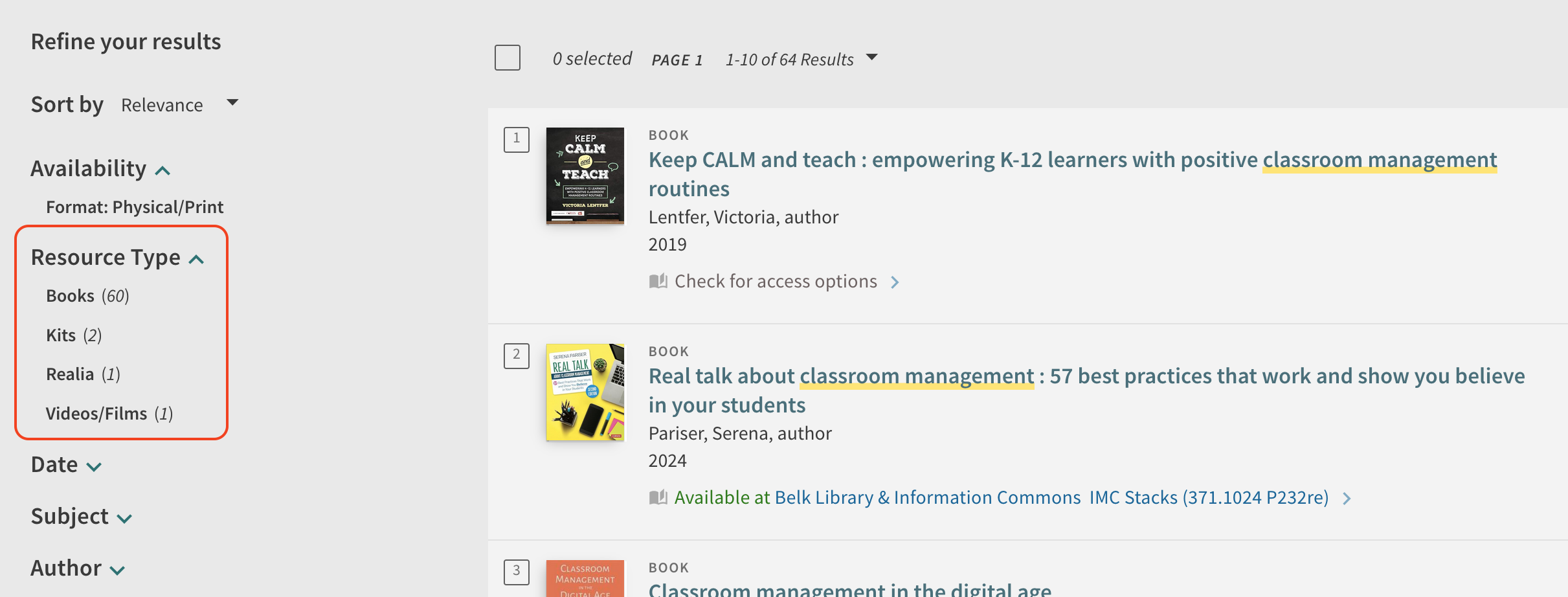
- There are several options to refine your search results on the left hand side of the webpage.
- For example, resource type allows you to select specific IMC material types, such as books or kits.
Searching from Advanced Search
- Go to the library’s homepage.
- Select Advanced Search.
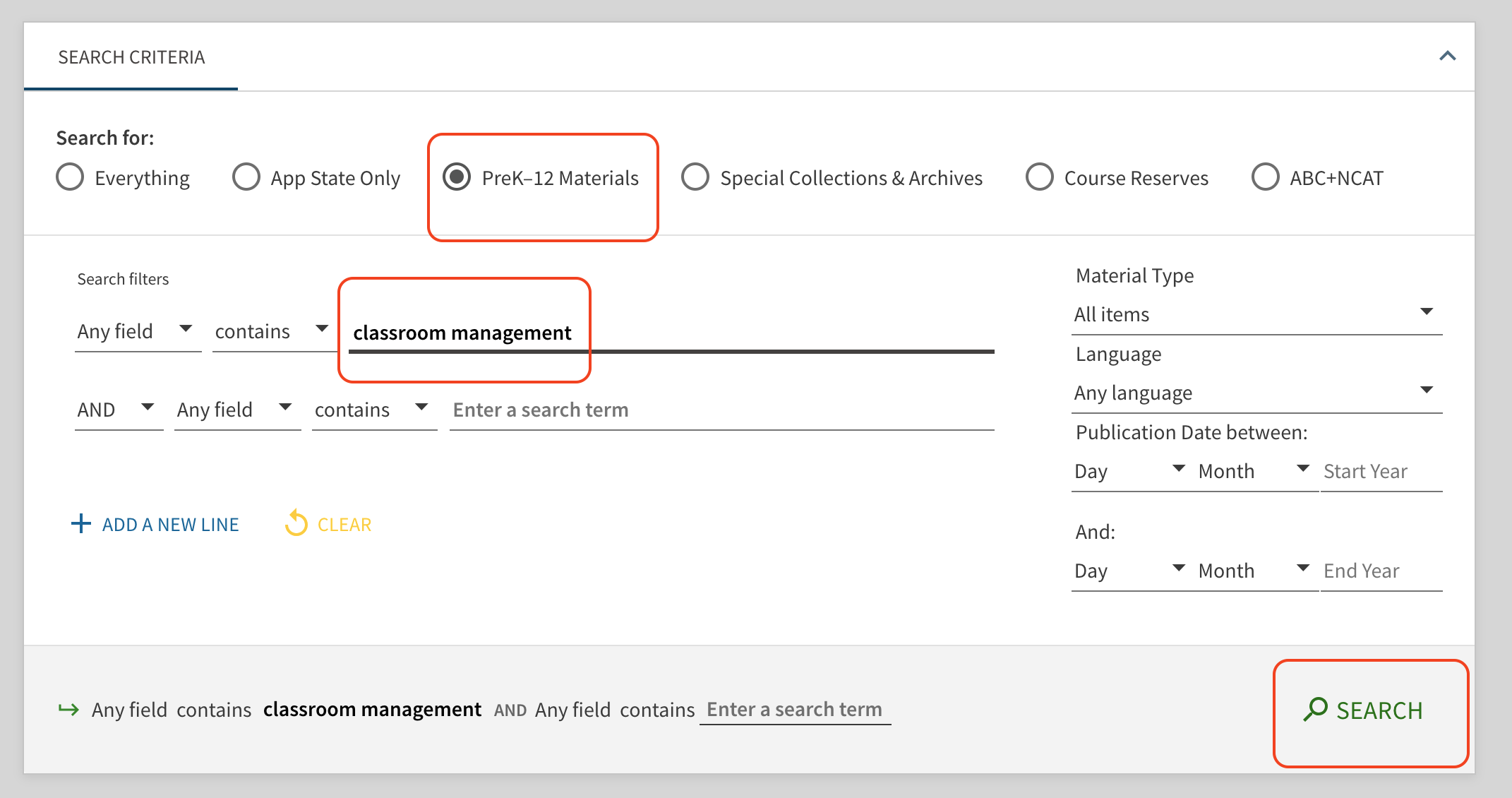
- Under the “Search for” heading select PreK-12 Materials.
- Enter in your search terms.
- If you know specific information about the item you’re looking for, such as Title or Author, you can change the search filters.
- Click Search.