
Audiobooks
Using Libby
What is Libby?
- Libby is an app that gives you easy access to the eBooks and audiobooks in the Libraries’ Overdrive database.
- You can check out 3 titles at a time for up to 21 days each.
- Students, faculty, and staff can access Libby through Appalachian State. Community borrowers can use Libby with a public library card.
Getting started with the app
- First, install the Libby app for iOS or Android.
- Open the app and choose “Add Library.”
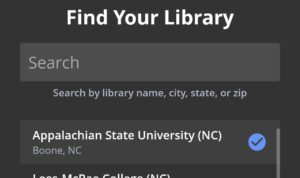
- Search for “Appalachian State.”
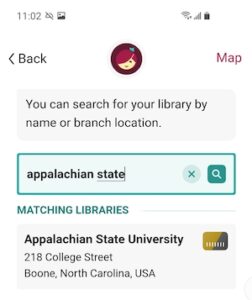
- Follow the prompts to connect your Libby app to your Appalachian State University account. You’ll be asked to sign in with your Single Sign-On username and password.
- Once you’ve signed in, Libby will tell you that you’ve added your library card. If you want to listen on your phone or tablet, you’re all set!
- If you want to listen to Libby eBooks on your Kindle, click the “Yes, I am a Kindle user” option and follow the prompts to connect Libby to your Kindle.
Other ways to listen
You can also listen to Libby eBooks:
- On a computer: See App State’s collection on libbyapp.com
- In the car: See instructions for Android Auto or Apple CarPlay
- On a smart speaker: See instructions for Google Home and Amazon Echo
- On wireless speakers: See instructions for Sonos speakers
Using Hoopla
What is Hoopla?
- Hoopla is an app you can use to access audiobooks and eBooks on your phone or tablet.
- You can borrow up to 10 items for 21 days each.
- Students, faculty, staff can use Hoopla through Appalachian State University.

Other ways to listen
Hoopla can also be used:
- With Alexa: Hoopla supports most Amazon devices, including the Echo, Echo Plus, Dot, Spot, and Show.
- In the car: Hoopla supports Apple CarPlay and Android Auto.