
About Library Search
Library Search lets you search most library resources from a single search box on the library’s homepage.
What is included in Library Search?
- Physical items from all App State libraries, like books, music, movies, and games
- Online resources, like articles, e-books, journals, and streaming video
- Items you can request from other UNC system libraries or using interlibrary loan
What is not included in Library Search?
- Some archival materials in the Special Collections Research Center. See other tools for searching Special Collections.
- Some of our subscription research databases. Use the drop-down below or check a database’s listing to find out if it’s in Library Search.
Tips for Using Library Search
- Log in to get complete results and to save items/searches
- Use quotation marks for exact phrases
- Use Advanced Search to search by author/title
- Find peer-reviewed or physical/print items using the Availability filters in the sidebar
Need Help?
Search Scopes
Scopes are a feature of Library Search that let you search within specific collections.
How to use scopes
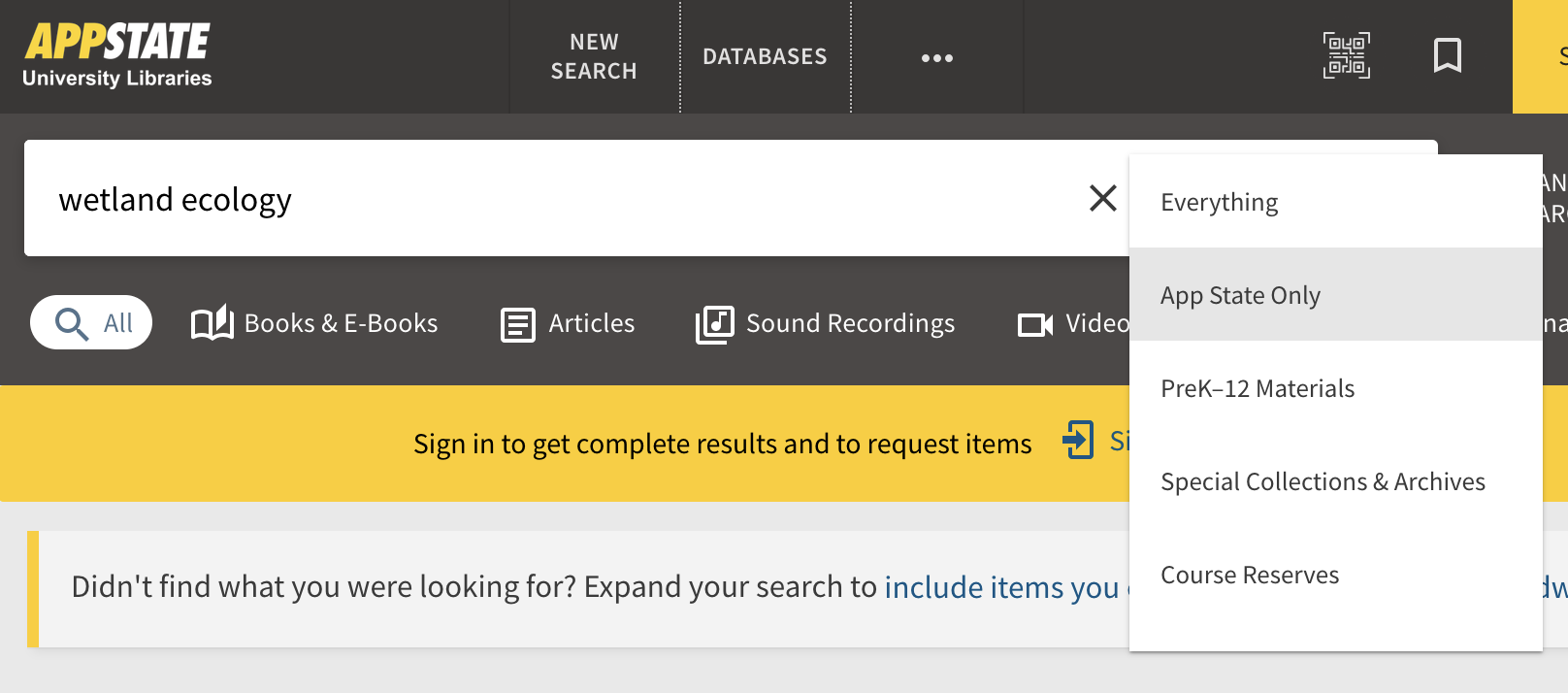
Library Search uses the “Everything” scope by default. You can select a different scope using the drop-down beside the search box on the search results page:
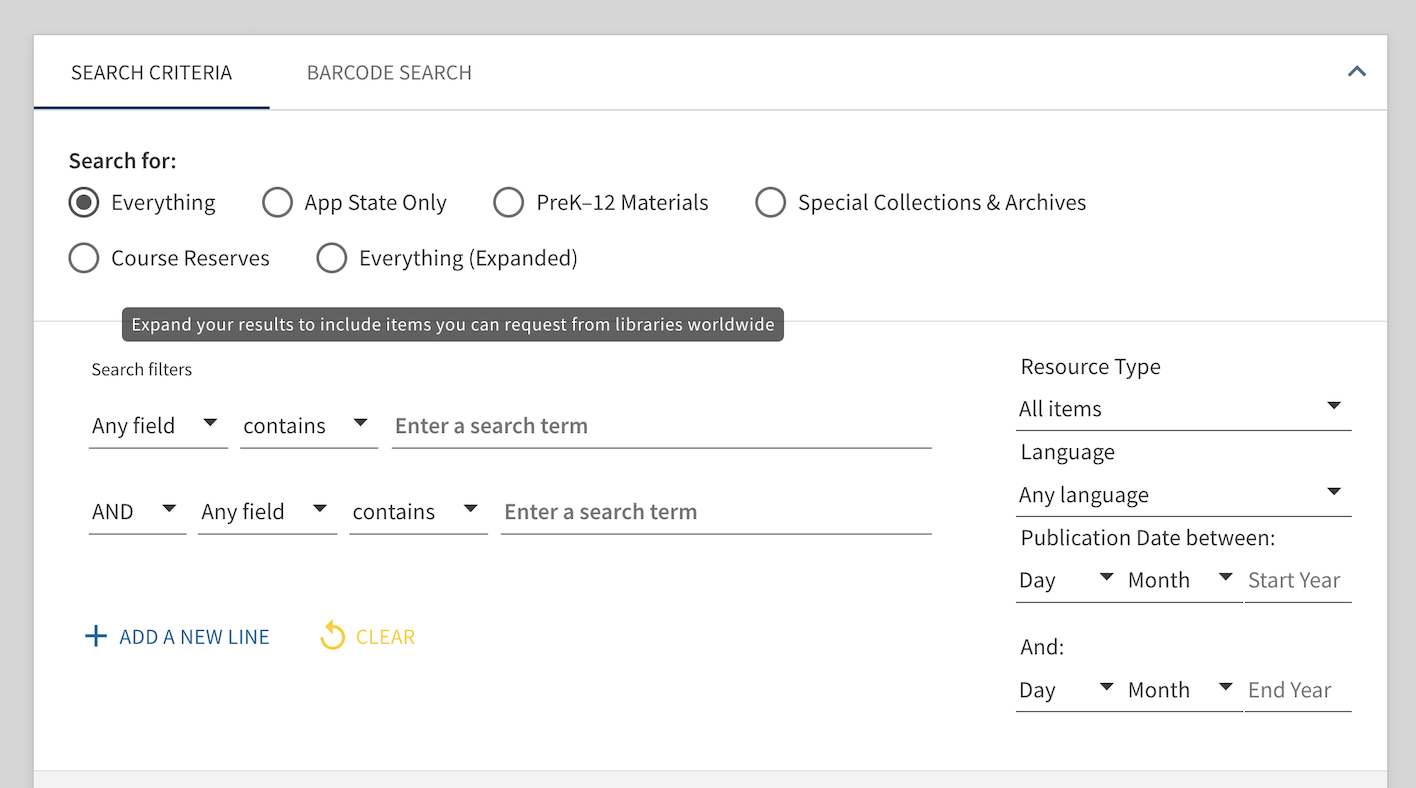
You can also select a scope using Advanced Search:
What's in each scope
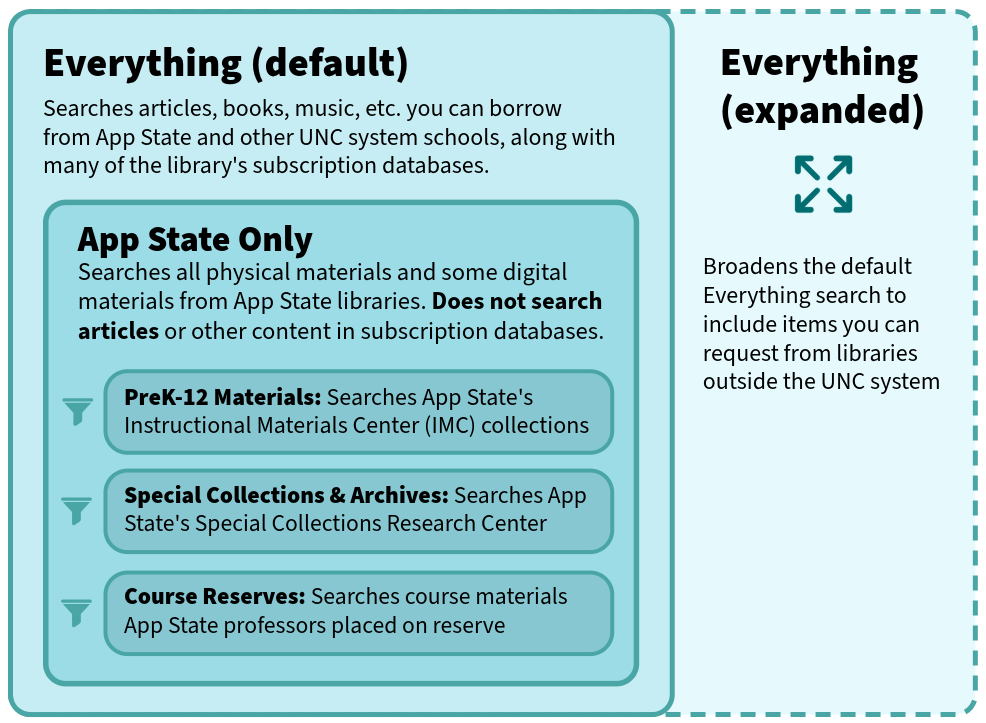
Scope definitions (plain text version)
- Everything (the default options) searches articles, books, and other library materials you can get from App State or other UNC system schools, along with most of the library’s subscription databases
- Everything (Expanded) broadens the default Everything search to include items you can request from libraries outside the UNC system.
- App State Only searches physical items at all App State library locations and some our digital items like journal titles and select e-books.
- PreK-12 Materials searches Instructional Materials Center items.
- Special Collections & Archives searches physical materials in the Special Collections Research Center.
- Course Reserves searches items professors have placed on reserve for their courses.