
How to Find Peer-Reviewed or Scholarly Articles
There are several ways to find scholarly articles in the University Libraries:
Searching for Peer-reviewed Articles in Library Search
- After you launch your Library Search query, look on the left side of your results screen for the list of filters.
- Beneath “Availability”, click Peer-reviewed Journals.
- Beneath “Resource Type”, click Articles. To keep filters in place for the duration of your session, you can save filters.
- Please note that there are two ways to apply filters, by clicking on the button/toggle OR by checking the box on the left and applying the filter.

Individual Databases and Peer-Review
You can limit your searches to peer reviewed and scholarly articles in many of the library’s individual databases, too.
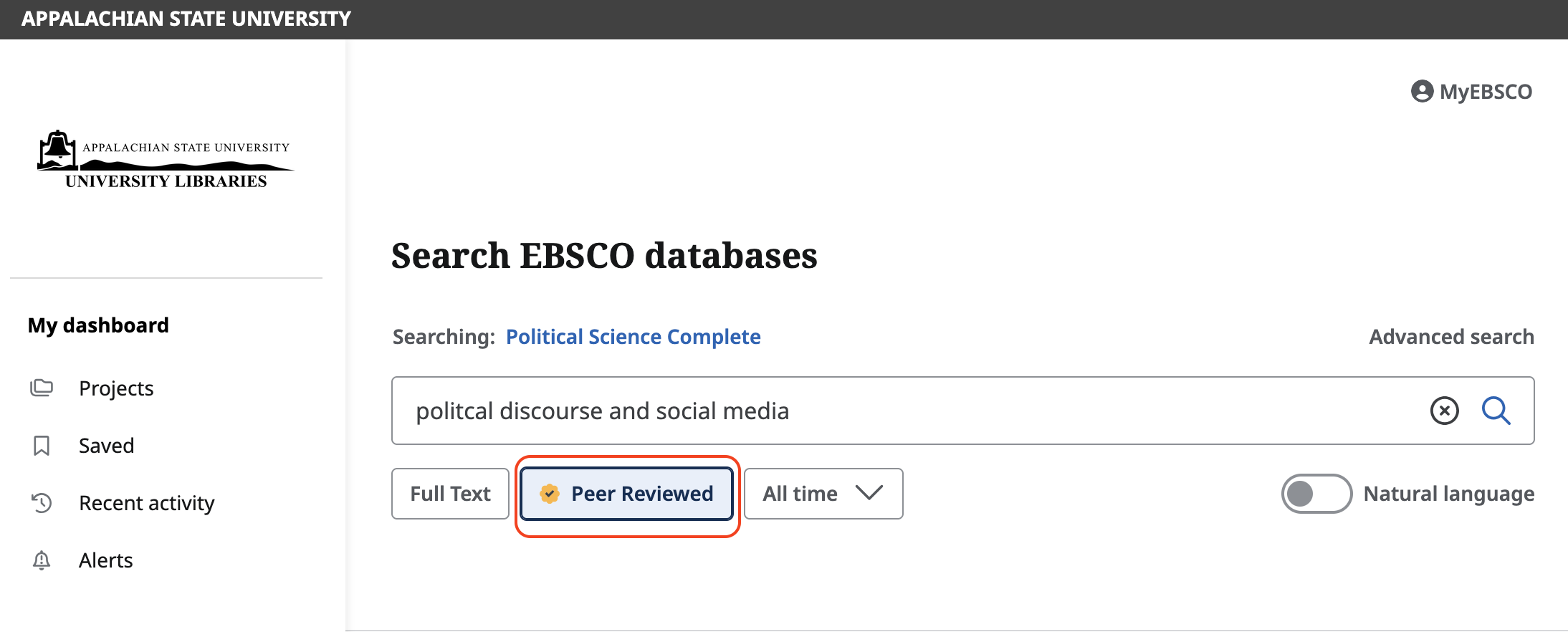
- EBSCO and ProQuest databases have a peer-reviewed option below the search box (see examples in screenshots).
- Some databases, like PsycARTICLES, automatically search only peer-reviewed journals — so all you have to do is start searching.
Google Scholar
Google Scholar searches a massive range of scholarly publications.
- You can read more about what Google Scholar searches on the Google Scholar website.
- Not everything you find on Google Scholar will be freely available. You can search Google Scholar through the University Libraries’ website to automcatically link to what the library owns.